
The DynaPath control
One control for manual, conversational and G-code machining
Every new MACH CNC machine comes with the WinDelta DynaPath control: powerful, reliable and easy to use, and connected to our help desk for the life of the machine.
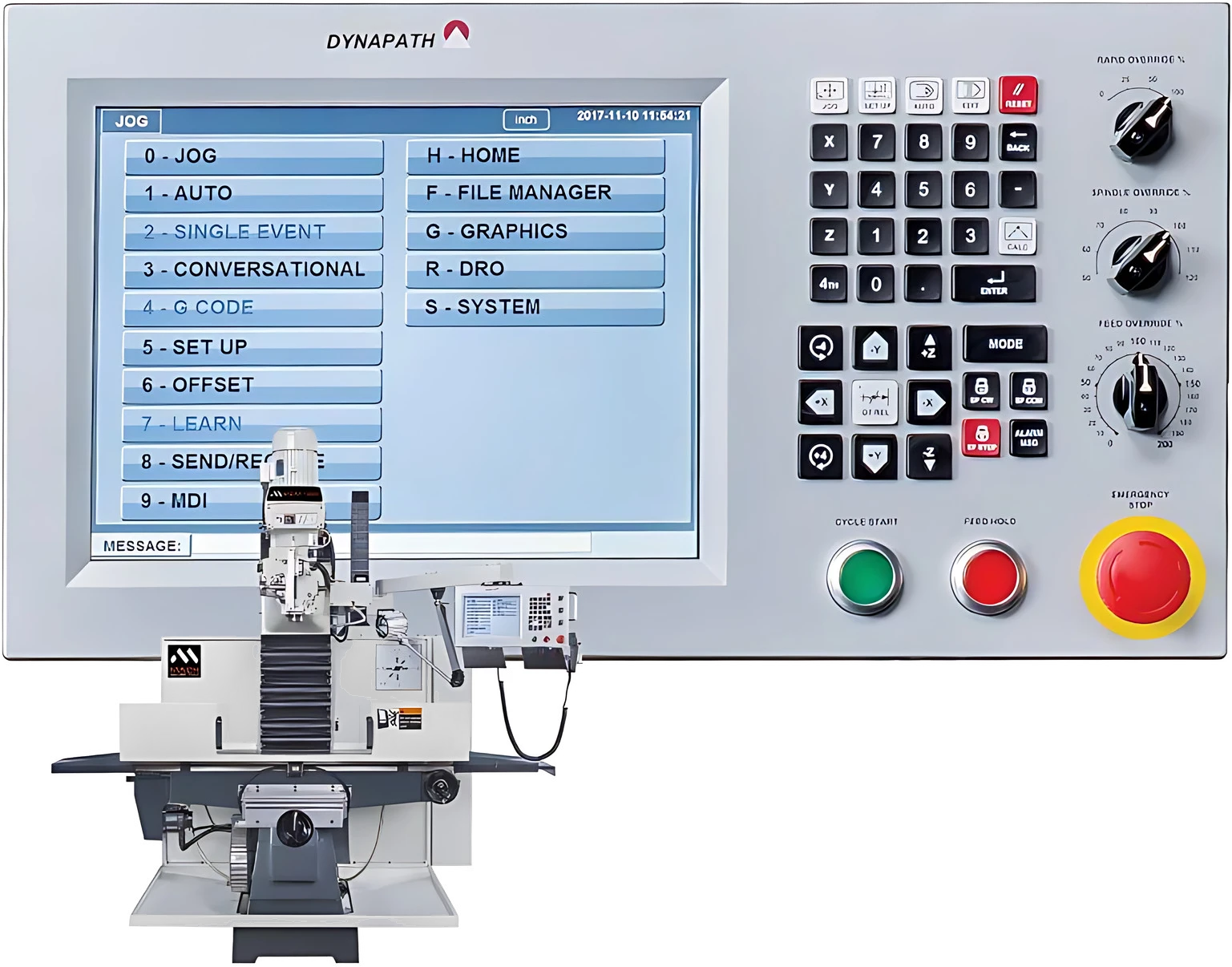
- Years of DynaPath CNC control development
- 60+
- Ways to work: DRO, conversational and G-code
- 3
- Solid-state program storage
- 8GB
- Remote help from MACH over Wi-Fi
- 24/7
Our CNC control partner
For more than 60 years, DynaPath has built CNC controls for the machine tool industry, focused on power, reliability and ease of use.
DynaPath is MACH's CNC control technology partner. Its WinDelta control is a PC-based, fully closed-loop CNC with advanced motion control, a built-in software PLC and a touchscreen Windows-based interface. It's the evolution of the Delta control, which served machinists for more than 20 years, and it's built into every new MACH CNC machine.
Three ways to work, on one control
Run a quick job by hand, program a part at the machine, or load a program straight from CAD/CAM. Operators of every level can use the same machine.
- 01
DRO and semi-automatic
Use the machine manually with CNC accuracy. Semi-automatic functions, such as Teach-In and thread repair on lathes, handle the repetitive work.
- 02
Conversational with DXF import
Program parts on the shop floor without knowing G-code. Answer simple prompts on the touchscreen, or import a DXF drawing and pick the geometry.
- 03
Standard G and M-code
Run programs posted from your CAD/CAM system directly on the control, with custom macros for advanced jobs.
Programmable conversational events
- Drill, bore and tap cycles
- Circle, frame, irregular and open contour milling
- Circle, frame, irregular and tapered pocket milling
- Profile and face turning, and grooving
- Threading cycles
- Patterns of any event
Three control panels, one DynaPath control
The WinDelta control comes with a machine panel laid out for the job: one for mills and machining centres, one for lathes, and a lathe panel with a rotary mode switch for operators used to Fanuc-style controls.
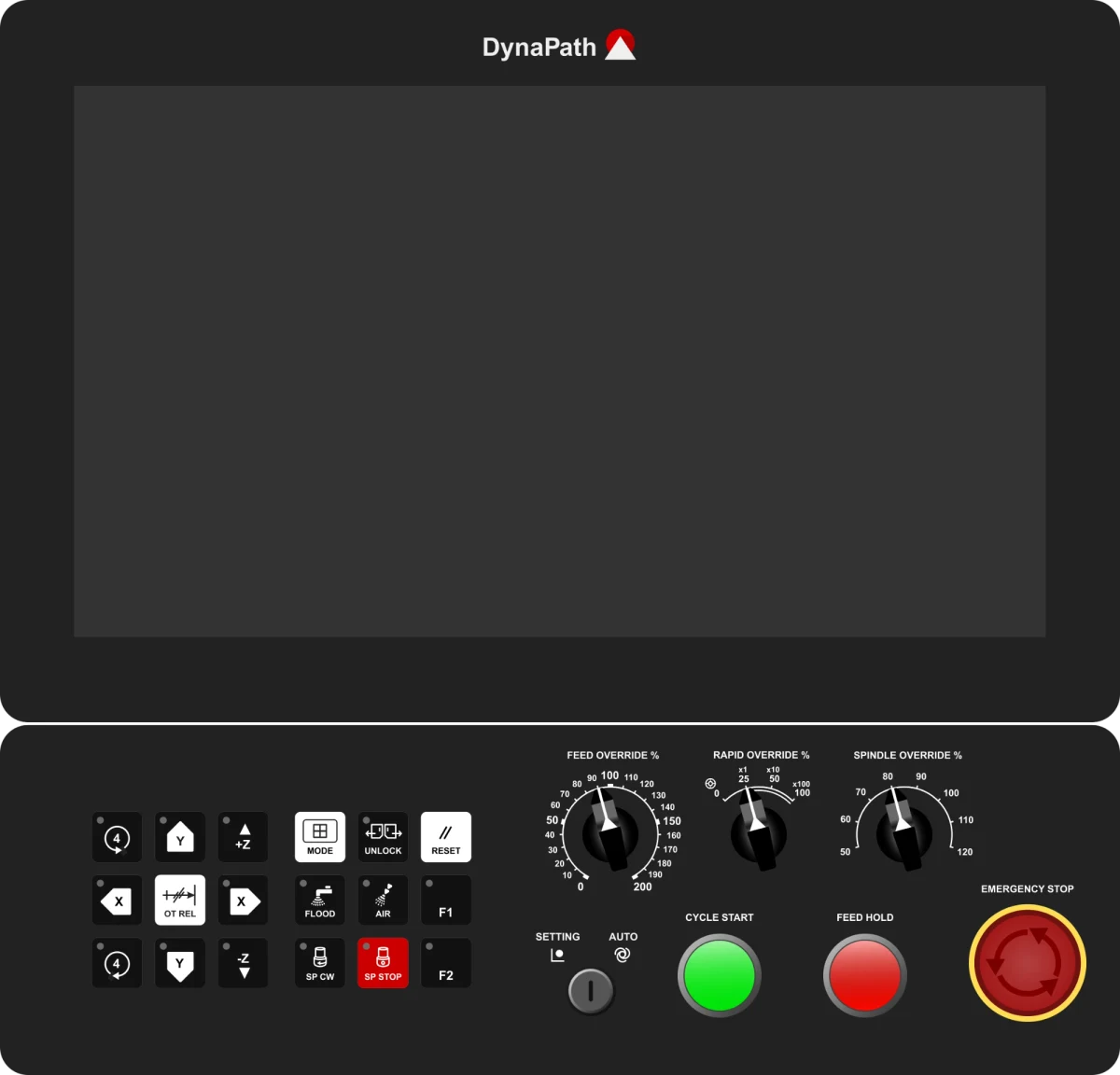
Mill control panel
For MACH CNC mills and machining centres. Jog keys for X, Y and Z, plus a 4th axis, sit beside the coolant, spindle and function keys, with feed, rapid and spindle override dials on the right.
On the panel
- X, Y and Z jog keys, with 4th-axis rotation
- F1 and F2 function keys
- Flood coolant and air blast
- Spindle forward and stop
- Feed, rapid and spindle override dials
- Setting / auto key switch, cycle start, feed hold and emergency stop
Fitted to
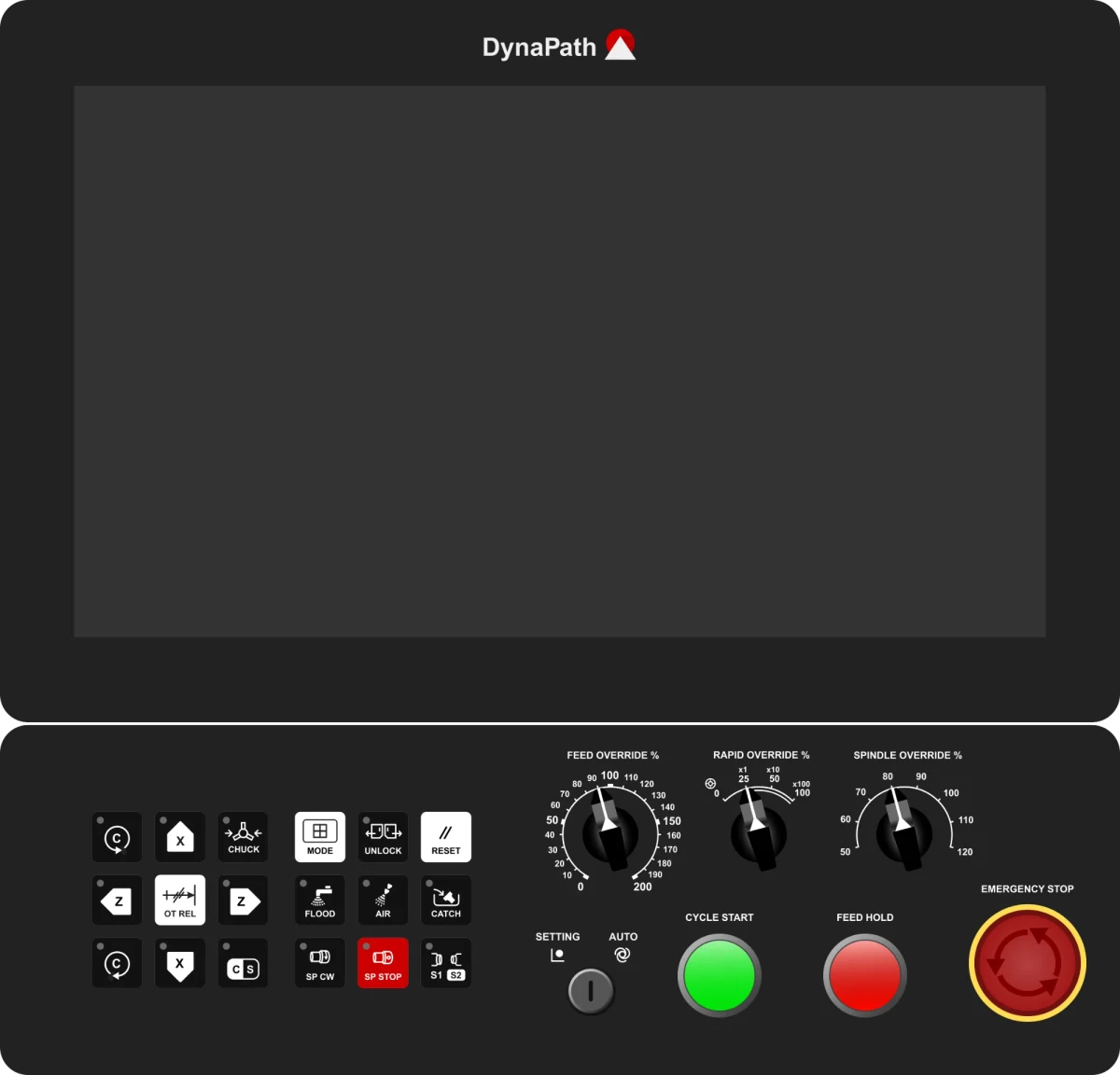
Lathe control panel
For MACH CNC lathes. X and Z jog keys with C-axis control, and lathe keys for the chuck, the part catcher and spindle selection.
On the panel
- X and Z jog keys, with C-axis rotation
- Chuck clamp and part catcher
- C-axis / spindle mode and S1 / S2 spindle select
- Flood coolant and air blast
- Feed, rapid and spindle override dials
- Setting / auto key switch, cycle start, feed hold and emergency stop
Fitted to
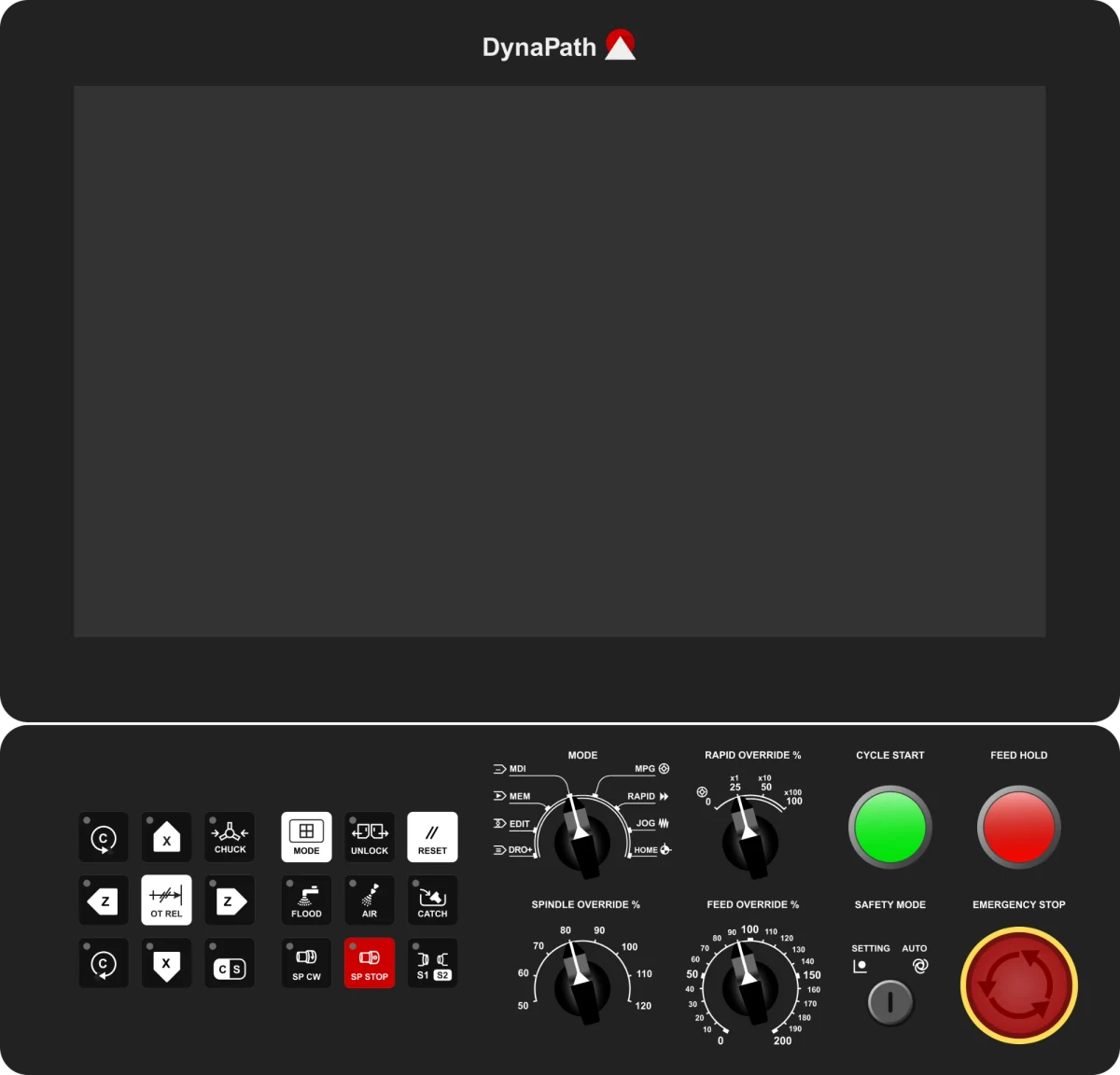
Lathe control panel, Fanuc style
The same lathe keys, with a rotary mode switch and the dials arranged the way operators trained on Fanuc-style controls expect.
On the panel
- Rotary mode switch: MDI, MEM, EDIT, DRO+, MPG, RAPID, JOG and HOME
- X and Z jog keys, with C-axis rotation
- Chuck clamp, part catcher and S1 / S2 spindle select
- Spindle, feed and rapid override dials
- Safety mode key switch, cycle start, feed hold and emergency stop
Fitted to
Not sure which panel suits your workshop? Ask us when you enquire. Make enquiry
Built for the shop floor
Touchscreen display
A 15.6 inch touchscreen LCD with clear menus and on-screen graphics that help catch mistakes before they reach the part.
Advanced motion control
Look-ahead motion control for high-speed, high-precision machining, with an optional 4th-axis rotary table.
Networking and file transfer
Two USB ports and a LAN connection, with a built-in FTP server to manage part programs over your network.
MPG Run
Ease into a new program by synchronising the machine's feed with the turn of the electronic handwheel.
Program Retrace
Restart a part program from any block you choose, without running it from the beginning.
Customisable
Custom PLC ladder logic and G-code macros on top of the standard CNC functions.
Connected to MACH, for the life of the machine
The control's built-in remote tool lets our technical help desk diagnose, monitor and troubleshoot your machine over Wi-Fi.
Most issues are solved remotely, typically with a response within 20 minutes, day or night. If a visit is needed, it's diagnosed first, so one visit is usually enough. Training and applications support can be given the same way. It's free for the life of every DynaPath-controlled MACH machine.
How MACH support worksFitted to the MACH CNC range
MACH CNC RangeSee the DynaPath control for yourself
Book a demonstration, ask about training on the control, or download the CNC brochures to see which MACH machines it's fitted to.